 Tiny Online Tools





اضغط JavaScript بسرعة دون حاجة لأداة تجميع
كل بايت مهم عند إرسال JavaScript للمستخدمين. التعليقات والمسافات البيضاء والتنسيق الإضافي تزيد حجم الملف. أدوات التجميع مثل Webpack و esbuild تتولى الضغط تلقائيًا، لكن أحيانًا تحتاج إلى ضغط سريع وخفيف: إزالة التعليقات من سكريبتات مُضمَّنة مباشرةً، أو تقليص مقتطفات الكود للتوثيق، أو ضغط السكريبتات قبل توزيعها.
يزيل هذا المضغوط تعليقات JavaScript والمسافات غير الضرورية، مضغطًا الكود إلى أصغر صيغة ممكنة. ليس محسِّنًا على مستوى AST كـ Terser، لكنه مثالي للضغط السريع دون أدوات ثقيلة.
ما يُحذف
التعليقات: تُحذف تعليقات السطر الواحد (//) والمتعددة الأسطر (/* */) كليًا.
المسافات البيضاء: تُطوى المسافات والمسافات البادئة وفواصل الأسطر الزائدة. تبقى فواصل الأسطر فقط حيث يستلزمها بناء جملة JavaScript.
التنسيق: يتكثف الكود إلى أدنى مساحة مع بقائه قابلًا للتنفيذ. لا تُعاد تسمية المتغيرات ولا يُزال الكود الميت.
مقاييس الضغط
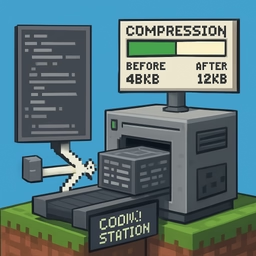
تُظهر الأداة بالضبط كم وفّرت: البايتات المخفَّضة ونسبة الضغط.
متى تستخدم هذه الأداة مقابل أداة تجميع
استخدم هذه الأداة عندما:
- تحتاج إلى ضغط سريع بدون إعداد عملية بناء
- تضغط سكريبتات مساعدة صغيرة
- تقلص مقتطفات الكود للتوثيق أو التضمين المباشر
استخدم أداة تجميع عندما:
- تحتاج إلى تحسين على مستوى AST للإنتاج
- تحتاج إلى إعادة تسمية المتغيرات وإزالة الكود الميت
حالات الاستخدام الفعلية
السكريبتات المُضمَّنة: اضغط مقتطفات JavaScript الصغيرة التي تضمّنها في مستندات HTML.
توزيع السكريبتات: إذا كنت تنشر JS لمطورين آخرين، اضغطه قبل الإصدار.
الـ Bookmarklets والـ Userscripts: اضغط JavaScript الذي تنشره حيث يُفيد الحجم الأصغر.
القيود
تستخدم هذه الأداة تحويل نص مبني على regex، لا تحليل AST. لن تُعيد تسمية المتغيرات أو تُزيل الكود غير المستخدم.
100% في المتصفح
يحدث الضغط محليًا. كودك لا يلمس أي خادم.