 Tiny Online Tools





Comprima JavaScript rapidamente sem um bundler
Cada byte importa ao enviar JavaScript para os usuários. Comentários, espaços em branco e formatação extra aumentam o tamanho do arquivo. Bundlers como Webpack e esbuild lidam com minificação automaticamente, mas às vezes você precisa de minificação rápida e leve: removendo comentários de scripts incorporados inline, reduzindo snippets de código para documentação ou comprimindo scripts antes de distribuí-los.
Este Minificador de JS remove comentários e espaços desnecessários, comprimindo JavaScript ao menor formato possível. Não é um otimizador em nível de AST como o Terser, mas é perfeito para minificação rápida sem ferramentas pesadas.
O que é removido
Comentários: Comentários de uma linha (//) e multilinha (/* */) são removidos completamente.
Espaço em branco: Espaços extras, tabulações e quebras de linha são colapsados.
Formatação: O código é compactado ao espaço mínimo mantendo-se executável. Não renomeia variáveis nem remove código morto.
Métricas de compressão
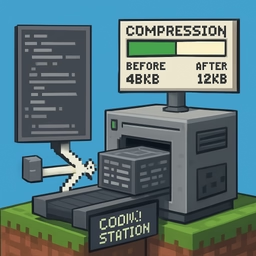
A ferramenta mostra exatamente quanto você economizou: bytes reduzidos e porcentagem de compressão.
Quando usar esta ferramenta vs. um bundler
Use esta ferramenta quando:
- Precisa de minificação rápida sem configurar um processo de build
- Está comprimindo pequenos scripts utilitários
- Está reduzindo snippets de código para documentação
Use um bundler quando:
- Precisa de otimização em nível de AST para produção
- Precisa de renomeação de variáveis, eliminação de código morto e transformações avançadas
Casos de uso reais
Scripts inline: Minifique pequenos snippets JavaScript incorporados em documentos HTML.
Distribuição de scripts: Se você publica JS para outros desenvolvedores, minifique-o antes.
Bookmarklets e userscripts: Comprima JavaScript para compartilhamento onde o tamanho menor ajuda.
Limitações
Esta ferramenta usa transformação de texto baseada em regex, não análise AST. Não renomeará variáveis, eliminará código não utilizado nem otimizará o fluxo de controle.
100% no navegador
A minificação acontece localmente. Seu código nunca toca um servidor.