Tiny Online Tools logoTiny Online ToolssearchSearch tools…grid_viewAll Tools
Homechevron_rightVideo & Audio Toolschevron_rightAudio Channel ConverterAudio Channel Converter

Audio Channel Converter

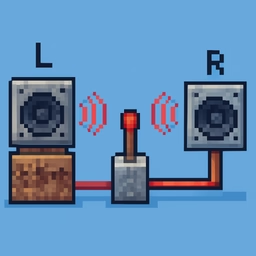
Audio Channel Converter helps you mix stereo to mono or isolate a left or right channel directly in your browser. Use it for fast, private media cleanup, publishing, lessons, demos, and everyday video or audio editing.

upload_file

Click to browse or drag & drop files here

Select an audio file

Accepted: audio/*

Similar Tools

Audio Joiner

Audio Joiner

Audio Joiner helps you join multiple audio files into one track directly in your browser. Use it for fast, private media cleanup, publishing, lessons, demos, and everyday video or audio editing.

Audio Normalizer

Audio Normalizer

Audio Normalizer helps you make audio peaks more consistent directly in your browser. Use it for fast, private media cleanup, publishing, lessons, demos, and everyday video or audio editing.

Video Audio Replacer

Video Audio Replacer

Video Audio Replacer helps you swap the original soundtrack for narration, music, or a cleaned track directly in your browser. Use it for fast, private media cleanup, publishing, lessons, demos, and everyday video or audio editing.

MOV to MP4 Converter

MOV to MP4 Converter

MOV to MP4 Converter helps you convert QuickTime MOV files to MP4 for wider playback directly in your browser. Use it for fast, private media cleanup, publishing, lessons, demos, and everyday video or audio editing.

Text Justify Tool

Text Justify Tool

Justify text to align lines evenly across a fixed width.

RAW Image Viewer

RAW Image Viewer

Preview camera RAW files (CR2, NEF, ARW, DNG, RAF, ORF, RW2 and more) by extracting the embedded JPEG preview.

3D Animation Editor

3D Animation Editor

Edit the animation clips inside a GLB, GLTF or FBX model directly in your browser.

apps

More Tools

Browse our full collection of free online tools.

How to use Audio Channel Converter

Audio Channel Converter helps you mix stereo to mono or isolate a left or right channel directly in your browser. Use it for fast, private media cleanup, publishing, lessons, demos, and everyday video or audio editing. The tool is meant for quick, focused work: choose your file, set the important option, process the media, and download the finished result. Because the workflow stays in the browser, it is convenient for everyday edits where opening a full video or audio editor would be too slow.

Start with the cleanest source file you have. Check the duration, orientation, sound, and file size before processing, then decide what matters most for the final version. A social post may need a smaller file and a clear subject. A lesson, product demo, podcast asset, or internal review file may need better quality, more careful timing, or a more conservative setting.

Useful scenarios

Use Audio Channel Converter when preparing media for newsletters, support tickets, classroom resources, documentation, product updates, social clips, or team reviews. It is also helpful for standardizing files from different devices before sending them to someone else. If the source is large, test a short sample first so you can confirm the settings before committing to a longer process.

  • Keep the original file as a backup.
  • Use descriptive filenames for the finished version.
  • Review the downloaded result before sharing it publicly.

Practical tips

Make the smallest change that solves the problem. Repeatedly editing an already processed file can reduce quality, so return to the original whenever you need to try again. Watch or listen to the final output from beginning to end, especially when timing, orientation, audio sync, or file size matters.