Tiny Online Tools logoTiny Online ToolssearchSearch tools…grid_viewAll Tools
Homechevron_rightVideo & Audio Toolschevron_rightGIF ReverserGIF Reverser

GIF Reverser

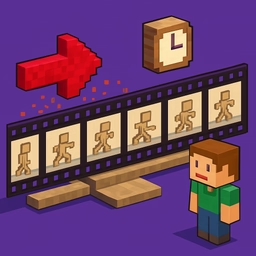
Reverse the frame order of any animated GIF directly in your browser. Preserves per-frame delays, fully private, no upload required.

upload_file

Click to browse or drag & drop files here

Select a GIF

Accepted: image/gif

Similar Tools

GIF Cropper

GIF Cropper

Crop animated GIFs directly in your browser while preserving animation. Pixel-precise rectangle, adjustable color depth, fully private.

GIF Frame Extractor

GIF Frame Extractor

Extract every frame of an animated GIF as a separate PNG image in your browser. Per-frame download, no upload, fully private.

GIF to MP4

GIF to MP4

GIF to MP4 helps you turn animated GIFs into video files directly in your browser. Use it for fast, private media cleanup, publishing, lessons, demos, and everyday video or audio editing.

MP4 to GIF

MP4 to GIF

Convert video files (MP4, WebM, MOV) to animated GIF directly in your browser.

SVG to JSX

SVG to JSX

Convert SVG markup into a React JSX component with proper camelCase attributes.

Crop Image

Crop Image

Crop images quickly in your browser.

Video to MP3

Video to MP3

Extract audio from video files and export as WAV with waveform visualization.

apps

More Tools

Browse our full collection of free online tools.

GIF Reverser

Play an animated GIF backward without leaving your browser. Perfect for memes, time-lapse rewinds, sticker effects, and creative loop tricks.

How it works

The tool decodes every frame of your GIF using the browser's native ImageDecoder API, preserves the per-frame timing, then re-encodes the frames in reverse order using a fast pure-JS GIF encoder. The result is a brand-new GIF that plays from the last frame backward to the first.

Features

  • Preserves exact per-frame delay so reversed GIFs feel natural
  • Adjustable color depth (2–256 colors) for fine-tuning size vs. quality
  • Side-by-side before/after preview
  • 100% local — your files never leave your device
  • Works in modern Chromium and Firefox browsers

Use cases

  • Funny rewind meme effects
  • Looping animations that read both ways
  • Time-lapse reversal
  • Boomerang-style social media content
  • Sticker pack creation
  • Animation studies for designers

Tips

For maximum quality, keep colors at 256. For smaller files, drop to 64–128. The tool uses median-cut quantization for excellent visual results even at low color counts.

Need to speed up or slow down a GIF instead? Check our GIF Speed Changer.