 Tiny Online Tools




Make a broken mesh printable
Slicers are unforgiving. A model with holes has no defined inside, so there is nothing to fill. A model with non-manifold edges describes a surface that cannot physically exist. Either way the slicer refuses the file, or worse, accepts it and prints something wrong.
This free online mesh repair tool fixes the common defects automatically and tells you honestly whether it succeeded.
What it does, in order
The order is not arbitrary — each step depends on the one before it.
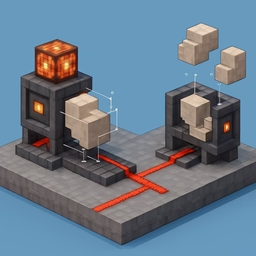
1. Weld vertices. An STL is unindexed triangle soup: every triangle carries its own three vertices and neighbouring triangles share nothing. Until co-located vertices are merged, the mesh has no topology at all, every edge looks like a hole, and no other repair can work. This step is the foundation.
2. Remove degenerate triangles. Faces with zero area — two vertices in the same place, or three points in a line. They carry no surface, break normal calculation and cause divide-by-zero errors downstream.
3. Remove duplicate faces. The same triangle stored twice, which doubles up surfaces and confuses inside/outside tests.
4. Unify winding. A breadth-first flood fill across the mesh makes every face agree with its neighbours about which side is out. Without this, volume calculations are meaningless and patches render inside-out.
5. Fill holes. Each boundary loop is traced and filled with a fan of triangles from the loop's centroid. Centroid fans are used rather than ear-clipping because they cope with non-planar holes without self-intersecting.
6. Recompute normals. After all that geometry has changed, the old normals are wrong.
Read the before and after
The results panel shows holes, non-manifold edges, face count and vertex count before and after, plus the two headline booleans: watertight and manifold. If both say yes, your slicer will accept the file.
If they still say no, the tool says so rather than pretending. Some damage is beyond automatic repair — deeply self-intersecting geometry, or a mesh where the "holes" are genuinely intended openings. In those cases the report at least tells you exactly what remains.
The tolerance setting
Welding merges vertices within a distance threshold. Too tight and genuinely coincident vertices stay separate, so holes never close. Too loose and distinct detail collapses into itself. The default of 1e-5 relative to model scale suits most files; raise it for meshes exported with low precision, lower it for very fine detail.
Repair merges everything into one solid
Holes and manifoldness are properties of a whole closed surface, not of individual parts, so the tool merges all meshes before repairing. If your file is a multi-part assembly you want to keep separate, repair the parts individually.
Privacy
Repair runs entirely in your browser. Nothing is uploaded.