 Tiny Online Tools






أداة تحسين SVG
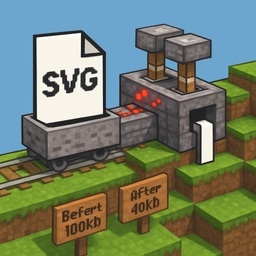
قلّل حجم ملفات SVG بإزالة البيانات غير الضرورية مع الحفاظ على المظهر البصري. تحتوي ملفات SVG المُصدَّرة من أدوات التصميم على بيانات وصفية وعناصر زائدة تُضيف بايتات دون أن تُسهم في الصورة.
ما الذي يُحسَّن
تحذف الأداة تعريفات XML، وتعليقات HTML، وعناصر البيانات الوصفية مثل وسوم العنوان والوصف، والمجموعات الفارغة، وعناصر Inkscape وSodipodi الزائدة، والقيم الافتراضية المتكررة للسمات، وتعريفات مساحات الأسماء غير الضرورية، والمسافات البيضاء. كل حذف يُقلّل الحجم دون تغيير ما يعرضه SVG.
عناصر أدوات التصميم
عند تصدير SVG من Adobe Illustrator أو Figma أو Sketch، تُضمّن الأدوات بيانات وصفية خاصة بالمحرر وتعليمات للتعديل لاحقاً. لا تؤدي هذه العناصر أي وظيفة في ملفات الإنتاج. يزيلها التحسين مما يقلّص حجم الملف أحياناً بنسبة 30–50%.
التأثير على الأداء
تتحمّل ملفات SVG الأصغر بشكل أسرع، خاصةً عند تضمينها مباشرةً في HTML أو CSS. وفي أنظمة الأيقونات التي تقدّم عشرات الأيقونات، يتراكم توفير النطاق الترددي من خلال تحسين جميع الملفات ليُشكّل وفراً ملموساً. كما يُقدّر المطورون ملفات SVG المُحسَّنة عند إدراجها في أنظمة التحكم بالإصدار.
تحسين آمن
تسير عملية التحسين بحذر — لا تحذف إلا العناصر والسمات التي لا تؤثر في الرسم. تُحفظ المسارات والتعبئات والحدود والخصائص البصرية بالكامل.
سير عمل الإنتاج
حسِّن ملفات SVG قبل نشرها في الإنتاج، وجهّز مكتبات الأيقونات بملفات نظيفة ومتسقة، وقلّل استهلاك النطاق الترددي لقاعدة مستخدمين تعتمد بكثافة على الأجهزة المحمولة، وحسّن مقاييس Core Web Vitals بتقليل أحجام الملفات، وحافظ على ملفات مصدر أنظف في أنظمة التحكم بالإصدار.