 Tiny Online Tools




Remove Duplicate Pages from PDF — Free & Private
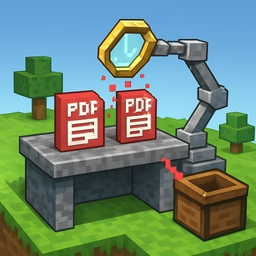
Multi-source documents, stitched-together scans, and automated reports often end up with repeated pages. This free online duplicate page remover scans your PDF, detects pages that look the same, and outputs a clean version with only the unique pages — all directly in your browser.
How it works
- Upload your PDF — or drag and drop it into the file picker.
- Choose a matching mode:
- Exact: only pages whose rendered pixels are identical are treated as duplicates.
- Loose (recommended for scans): small variations in JPEG compression or anti-aliasing are ignored, making it more forgiving.
- Click Remove duplicates — each page is rendered at low resolution, hashed, and compared to the pages we have already seen. The first occurrence is kept; later occurrences are dropped.
- Download the deduplicated PDF. The list of removed page numbers is shown for your reference.
Common use cases
- Scanning workflows that accidentally feed the same paper twice.
- Merged reports assembled from overlapping source files.
- Repeated cover or separator pages inserted by office suites.
- Archive cleanup before sharing or storing final documents.
- Research bundles where the same supplementary page keeps reappearing.
How it compares pages
The tool does not rely on raw PDF text — that would miss scanned images. Instead, each page is rasterized to a small thumbnail and a 64-bit fingerprint is computed from its pixel data. Two pages are treated as duplicates when their fingerprints match. Loose mode quantizes colors so tiny differences in rendering do not prevent matches.
Privacy & limits
All processing runs entirely on your device. Your PDF is never uploaded to any server. The tool works on any modern browser and has no file size limit other than your device's available memory.
Related tools
- Extract PDF Pages — keep only specific pages.
- Reorder PDF Pages — fix page order after cleanup.
- Split PDF — break cleaned documents into chunks.