 Tiny Online Tools




What a source map actually records
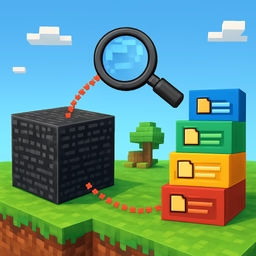
A .map file does not contain your original code. Almost always it contains one thing only: a compact table of positions — "generated line 2, column 4110 came from app.js line 88, column 12, and the identifier there was called total." Some maps go further and embed the original file's full text too (sourcesContent), but that field is optional, and plenty of production maps — including, as it happens, jQuery's own — ship without it.
This tool reads that table directly, in your browser, so you can check it against reality instead of trusting a build tool's claim about what it emitted.
What you can do here
- Load a
.mapfile. You'll immediately see every original source path it lists, laid out as a tree, and a count of how many mappings the map carries. - Add the generated
.jsfile it belongs to (optional, but worth it). With it present, a line/column lookup also shows you the exact generated code around the position you queried, and clicking a line in that snippet fills the line field for you. - Look up any generated position. Line numbers are 1-based and columns are 0-based, matching the source map specification exactly — the same convention Chrome DevTools and every JS tool uses internally. Not every byte in a bundle is mapped: runtime glue code, module-wrapper boilerplate and minifier output between tokens often have no mapping at all, and this tool says so plainly rather than guessing.
- Read the original source, when it's there. Click any file in the tree to see its embedded
sourcesContent. When a source has no embedded text — the mapping exists, but not the text — you'll see an explicit notice instead of an empty panel pretending there was nothing to show.
Why this matters
Source maps are what turns a stack trace pointing at bundle.min.js:2:184031 into one pointing at src/components/Cart.jsx:41. When that translation looks wrong — an error reported at a line that makes no sense, a debugger stepping into the wrong file — the fastest way to find out whether the map is broken or your mental model is, is to ask the map directly. That's what this does.
Privacy
Both files are parsed entirely in your browser. Nothing is uploaded anywhere.