 Tiny Online Tools


What this HTML minifier helps with
This HTML Minifier is designed for developers, content editors, and template authors who need smaller, cleaner markup without leaving the browser. Paste in an HTML page, component, email template, or snippet, choose the options you want, and the tool returns a compressed version along with the exact byte savings. That makes it easy to test how much space you can recover before publishing code, embedding markup into another system, or shipping static files.
How the minification works
The tool removes unnecessary characters while preserving the structure of the document. Depending on the options you enable, it can collapse boolean attributes, strip optional closing tags, reduce inline CSS, reduce inline JavaScript, and remove attribute quotes when that transformation is safe. This is useful when you want a more production-ready version of markup but still want quick visual control over the output instead of handing everything off to a build pipeline.
Common workflows
- Minify a standalone HTML file before embedding it into an app
- Shrink email templates where every byte matters
- Compare different option combinations and inspect the output manually
- Clean generated markup from site builders or CMS exports
Why use a browser-based tool
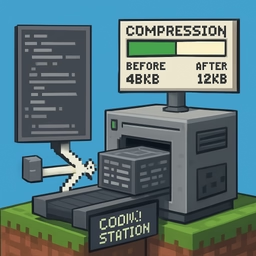
Everything runs locally in your browser, so the HTML you paste does not get uploaded. That is especially useful for private templates, internal documentation, and client code. The tool also shows the original size, the minified size, and the saved percentage, so you can quickly judge whether a specific optimization is worth keeping. If you want a fast way to compress markup and inspect the result immediately, this is a practical step between editing and deployment.