 Tiny Online Tools





From raw numbers to readable time
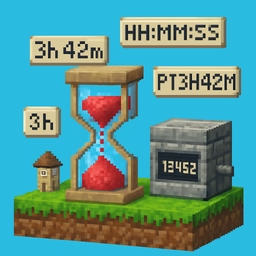
You log elapsed: 13425 and your eyes glaze over. Is that seconds? Milliseconds? How many hours is that anyway? The Duration Formatter answers instantly — and in four different styles so the output matches whatever system you are feeding.
Pick the style your context wants
Compact — 3h 42m 5s. Dense, great for dashboards, tweets, inline status indicators. Omits zero parts so tiny durations stay tiny.
Long — 3 hours, 42 minutes, 5 seconds. Pluralizes correctly. Ideal for user-facing emails, receipts, and notifications where readability beats density.
Colon — 03:42:05 or 03:42:05.127 at millisecond precision. Matches video players, media metadata, stopwatch UIs, and most broadcast standards.
ISO 8601 — PT3H42M5S or P1DT2H. The wire format specified by RFC 3339 and used in JSON Schema, Postgres interval, and many standards-compliant APIs.
Precision control
Round to hours for high-level metrics ("session lasted ~4 hours"), minutes for meeting lengths, seconds for most logs, or milliseconds when you care about micro-benchmarks. The tool breaks your input into days, hours, minutes, seconds, and ms — and only emits the parts your precision asks for.
Common use cases
- Log enrichment — turn
duration_mscolumns into human text before pasting into tickets. - Video pipelines — convert FFprobe durations into
HH:MM:SS.ssscue points. - Billing — render
hoursWorkedfields with pluralized long form on invoices. - APIs — emit ISO 8601 durations for standards-compliant JSON responses.
- Monitoring — build alert messages that say
5h 12minstead of18720.
Details worth noting
- Days overflow: 36 hours becomes
1d 12hin compact/long, but stays as36:00:00in colon style. - ISO 8601 uses
Pprefix andTseparator before time components;PT0Sis the canonical zero. - Millisecond precision in colon mode uses
.sssthree-digit padding.
All formatting happens locally in your browser. Nothing leaves the page.