 Tiny Online Tools


Digital Contact Cards: The Evolution of Business Card Exchange
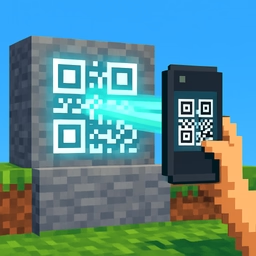
For decades, business cards meant printing physical cards with contact information, hoping recipients wouldn't lose them. The vCard QR Generator transforms contact exchange into a seamless digital process—embed complete contact details including name, phone, email, address, and website into a scannable QR code. Recipients scan once and instantly add you to their contacts without manual typing.
What vCard Technology Enables
vCard is an international standard for digital contact information, supported by every modern smartphone, email client, and contact management system. Unlike a simple text QR code containing just a phone number, vCard encodes comprehensive contact data in a standardized format that phones understand.
Complete Information Transfer: Instead of jotting down a phone number, scan once to capture name, multiple phone numbers, multiple email addresses, postal address, organization, job title, website, and optional notes—all automatically formatted and saved.
No Typing Required: Eliminates transcription errors and the friction of manually entering contact information. A scanned vCard imports directly into your contacts with zero data entry.
Professional Presentation: vCard QR codes appear on business cards, email signatures, conference booths, and websites. They're professional, modern, and efficient.
Practical Applications
Networking Events: Attendees at conferences and trade shows scan QR codes to exchange contact information instantly. No more collecting stacks of physical cards and manually importing data later.
Medical Practices: Doctors and dentists distribute QR codes linking to vCards including office phone, hours, address, and appointment links. Patients scan once to save all practice information.
Real Estate: Agents print vCard QR codes on property cards and marketing materials. Interested buyers scan to immediately save the agent's complete contact information and access property details.
Restaurant Management: Hosts display QR codes that scan to save the restaurant's address, phone, and reservation system. Customers avoid manual entry and have guaranteed accurate information.
Academic Networking: Researchers include vCard QR codes in presentations and papers. Colleagues scan to capture email and institution information for collaboration follow-up.
Comprehensive vCard Fields
The generator supports all standard vCard fields: primary and secondary phone numbers, multiple email addresses, complete postal addresses with street, city, state, and postal code, organization name, job title, website URL, and free-form notes for additional context.
Download your vCard QR code as a PNG image for printing or sharing digitally.