 Tiny Online Tools




Look at the UVs before blaming the texture
Most texture problems are UV problems. The material is fine, the image is fine, and the map still looks blurry on one panel, doubled on another and upside down on a third. The only way to tell which of those is happening is to look at the layout, and no browser tool draws it — so this one does.
Drop in a model and the tool draws every UV triangle of every mesh into the 0–1 square, one UV set at a time, then measures four things that matter.
Coverage and wasted atlas space
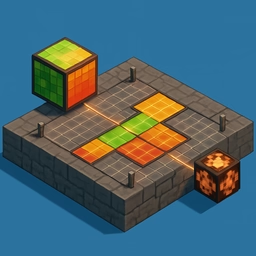
The 0–1 square is rasterised into a grid and every triangle marks the cells it covers. Coverage is the fraction of the atlas doing work; the rest is texture memory you are paying for and not using. A model at 20% coverage on a 4K texture is effectively shipping an 1800px texture at 4K cost. Packing it tighter, or dropping to the next texture size, is usually free quality.
Stretching, in a way that is actually readable
For every triangle the tool divides its UV area by its 3D area to get a texel density, then divides that by the median density of the mesh. The result is a ratio where 1.0 means "average for this model", so the colour ramp reads the same on a bolt and on a terrain. Red means fewer texels than average — that surface will look soft. Blue means more texels than average — resolution spent where nobody will look. Green is even.
Overlapping UVs and islands
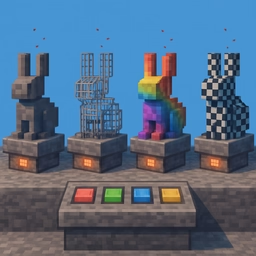
Overlapping faces are deliberate for mirrored albedo and fatal for lightmaps and baking, so the tool reports them rather than judging them. Detection rasterises triangles into the grid and flags any cell claimed twice, which makes it an approximation at the sampling resolution you choose — the tool says so instead of pretending otherwise. Island count tells you how many separate shells the unwrap produced, and how many seams that implies.
Outside 0–1, and the flip fix
Coordinates outside 0–1 are correct when a material tiles and broken when it does not, so the exact UV bounds are reported next to the count. And the single most common UV repair — a V axis inverted by a format conversion, leaving every texture upside down — is one toggle away, with the corrected model exported as GLB, glTF, OBJ or PLY.
Privacy
The model is parsed by your own browser. Nothing is uploaded anywhere.