 Tiny Online Tools

A lit render is the worst place to look for problems
Good lighting hides everything you need to see. A flipped normal reads as a slightly dark patch. A bolt built from 200,000 triangles reads as a bolt. Nine materials that all happen to be grey read as one object. Every mode in this tool throws the lighting away and encodes one specific property as colour instead — which is exactly what an engine viewport does, and what a browser usually will not.
The modes
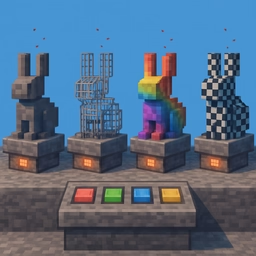
Wireframe shows where the topology actually is, and where it was wasted. Normals colours every surface by the direction it faces, so inverted normals invert the colour and become impossible to miss. UV checker projects an even checkerboard through the UV set: squares should stay square and stay the same size, and anywhere they do not is a texel-density problem. Flat shading removes smoothing so you can tell a real curve from a normal that is merely pretending. Matcap reads silhouette and surface form with no lighting rig to argue with, and depth encodes camera distance, which makes z-fighting and interpenetrating shells obvious.
Polygon density heatmap
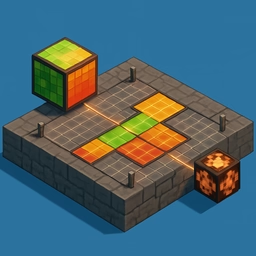
Every triangle is coloured by its area relative to the median triangle of the whole model, on a logarithmic ramp. Red means small triangles — polygons piled up in one place. Blue means large triangles. Green is average. This is the fastest way to answer "where did my triangle budget go?", and the answer is very often a hinge, a screw thread or a subdivided sphere hidden inside a prop nobody looks at.
Density is measured against the model median rather than against screen size on purpose: a screen-relative measure changes every time you orbit, which makes two screenshots impossible to compare.
Per material and per shell
Per-material colouring gives every distinct material its own hue, resolved through the geometry groups so multi-material meshes are coloured per face group. The legend lists each material with its triangle count — frequently the first time anyone notices one prop is carrying nine materials and nine draw calls.
Shell colouring runs a union-find over welded vertices and gives each connected surface its own colour. A chair that is secretly forty loose parts looks perfectly normal in every other view and is unmistakable here.
Side by side
Turn on comparison and you get two viewports with independent modes and shared view buttons, so both cameras snap to the same angle. Either side exports to PNG at 1600 × 1200, transparent or on a solid colour.
Privacy
The model is parsed and rendered by your own browser. Nothing is uploaded.