 Tiny Online Tools
Turn a STEP file into something your software can actually open
A supplier sends you a STEP file. Your slicer wants STL. Your renderer wants OBJ or GLB. Your web viewer wants glTF. Traditionally that means installing FreeCAD, buying a SolidWorks seat, or uploading a confidential part drawing to a conversion site. This free online CAD file converter does it in the browser, using the same OpenCascade geometry kernel that powers FreeCAD — compiled to WebAssembly and running on your own machine.
Supported conversions
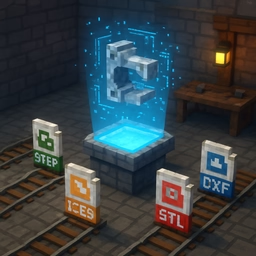
- STEP to STL and STP to STL — the classic path into 3D printing
- STEP to OBJ — get a part into a renderer or DCC tool
- STEP to GLB and STEP to GLTF — publish a part to the web or a game engine
- IGES to STL and IGS to OBJ — handle the older surface-based exchange format
- BREP to mesh — read OpenCascade's own native format
- PLY and OFF output for research and mesh-processing pipelines
Why tessellation quality is the whole game
A STEP file does not contain triangles. It contains exact mathematics: NURBS patches, analytic cylinders, filleted edges defined by equations. Converting to a mesh means tessellating — approximating those perfect surfaces with flat triangles.
How closely you approximate is your choice, and it is a real trade-off:
- Draft — fast, tiny files, visible faceting on curves. Fine for checking fit or a quick preview.
- Standard — the sensible default for most 3D printing and visualisation.
- High — smooth curves for presentation renders and parts with fine detail.
- Maximum — near-perfect surfaces, at the cost of large files and longer processing.
- Custom — set linear and angular deflection yourself.
Linear deflection is the maximum distance between the true surface and the triangle approximating it, as a fraction of the part's bounding-box diagonal. Angular deflection caps the angle between neighbouring facet normals, which is what actually stops a cylinder from looking like a hexagon.
If a printed part shows flat spots on a curve, drop the linear deflection. If your STL is 80 MB for a simple bracket, raise it.
Check the dimensions
The result panel shows each part's bounding box in millimetres. STEP files declare their own units and OpenCascade normalises to millimetres, so this is the fastest sanity check that you received the part at the scale you expected — before you spend six hours printing it.
How to use it
- Add one or more
.step,.stp,.iges,.igsor.brepfiles. - Pick a tessellation quality — start with Standard.
- Choose your output format, and binary encoding for STL unless a tool demands text.
- Convert, check the triangle count and dimensions, then download.
The first conversion loads a 7 MB WebAssembly geometry kernel; after that, files convert quickly.
Privacy
CAD files are often the most commercially sensitive thing in an engineering business. This converter never uploads them. The kernel runs locally in your browser, the result is generated in memory, and nothing is stored or logged.