 Tiny Online Tools





Open a supplier's STEP file without a CAD licence
Someone sends you a .step file. You need to look at it — check a feature, confirm a size, see whether the bracket has the mounting holes you asked for. Your options are usually installing FreeCAD, borrowing a SolidWorks seat, or uploading a commercially sensitive drawing to a website that keeps a copy.
This free online CAD viewer is none of those. It runs the OpenCascade geometry kernel — the same kernel behind FreeCAD — compiled to WebAssembly and executing on your own machine.
Supported formats
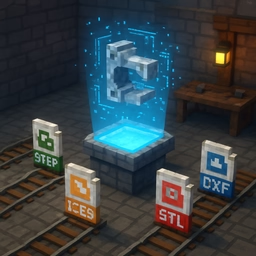
- STEP / STP — ISO 10303, the universal CAD exchange format
- IGES / IGS — the older surface-based exchange standard
- BREP — OpenCascade's own native boundary representation
Built for how engineers actually look at parts
Real feature edges. A shaded-only view of a machined part is genuinely hard to read. This viewer draws edges wherever the surface turns through more than 30 degrees, so chamfers, pockets and fillet boundaries stand out — while ignoring the thousands of meaningless triangle boundaries that tessellation creates.
Per-solid visibility. An assembly arrives as many solids. Click any of them in the list to hide it and see what is underneath. This is the single most useful thing a CAD viewer does, and most web viewers do not offer it.
Tessellation quality on demand. A STEP file has no triangles in it — only exact mathematical surfaces. The mesh is generated when you open it, so quality is a viewing setting rather than a property of the file. Start on Draft for a fast first look, then raise it if a curve looks faceted. Re-tessellation is quick because the kernel stays loaded.
Orthographic views. Front, top, right and isometric buttons, because engineers think in standard views, not in free orbit.
Both unit systems. OpenCascade normalises everything to millimetres, so dimensions are reported in mm — with inches alongside, because half the world's mechanical drawing is imperial.
Checking a part is the size you expected
The statistics panel gives the bounding box in both units. This catches the single most common problem with received CAD: a part exported in the wrong unit arrives 25.4 times too large or too small, and the mistake is invisible until you measure it.
Flat shading is deliberate
Parts are displayed with flat shading, which is both the conventional CAD look and a practical diagnostic: visible facets on a curved surface mean the tessellation quality is too low for what you are trying to judge. Raise it and the facets disappear.
Privacy
CAD files are frequently the most commercially sensitive asset a business has. Nothing here is uploaded. The kernel runs in your browser, the tessellation happens in memory, and no copy is stored or logged anywhere.