 Tiny Online Tools
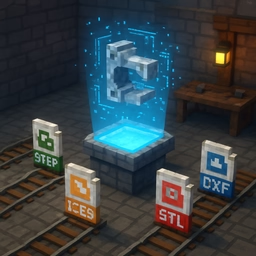







One viewer for every everyday CAD format
Engineering files rarely arrive in the one format your CAD software prefers. A supplier sends a STEP assembly, a vendor's drawing is a DXF, a 3D print file is an STL, an older machine tool export is IGES. This viewer opens all five without installing anything: STEP, STP, IGES, IGS, BREP, STL and DXF, entirely in your browser.
Two different kinds of file, two different viewers
STEP, IGES, BREP and STL describe solid geometry — surfaces and volumes in three dimensions. These are tessellated through the OpenCascade geometry kernel (compiled to WebAssembly, the same kernel behind FreeCAD) and shown in an orbit-controlled 3D viewport with standard front/top/right/isometric views and adjustable tessellation quality.
DXF is different: it is a flat, 2D vector drawing — lines, circles, arcs and polylines on a plane, with no solid to tessellate. Forcing a DXF through a 3D viewer would be misleading, so it gets its own 2D canvas that draws exactly the entities the file contains, fit to the drawing's bounding box.
Honest about what it draws
DXF is a large, decades-old specification. This viewer draws the entity types that make up the overwhelming majority of real drawings — lines, circles, arcs and polylines — and openly reports how many entities of other types (splines, text, hatches, dimensions, blocks) were present but skipped, rather than silently dropping them. It also reads the file's declared drawing unit and says so plainly when a file declares none, instead of guessing millimetres.
Checking the geometry, not just looking at it
Every load reports real numbers: solid count, triangle count and bounding-box dimensions for 3D files; entity count and drawing extents for DXF. Adjustable tessellation quality means the triangle mesh a STEP file is shown with is a viewing choice, not a fixed property — raise it if a curved surface looks faceted.
Take the geometry with you
Once a STEP, IGES, BREP or STL file has loaded, download what was tessellated as GLB (for use in a web viewer or game engine) or STL (for 3D printing or another CAD tool).
Privacy
CAD files are often commercially sensitive. Nothing here is uploaded — the OpenCascade kernel and the DXF parser both run locally in your browser, and no file is stored or logged anywhere.