 Tiny Online Tools

Why channel packing exists
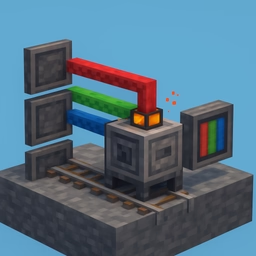
Occlusion, roughness and metallic are each one number per texel. Shipping them as three separate textures means three downloads, three GPU samplers, three sets of mipmaps — and three RGB images each storing the same value three times over. Packing them into the channels of one texture cuts that to a single fetch. This free online ORM texture packer does it on your device, and unpacks existing textures the same way.
The layouts
ORM (glTF / Khronos) — red = occlusion, green = roughness, blue = metallic. glTF does not treat this as an optimisation, it is the specification: pbrMetallicRoughnessTexture stores roughness in green and metallic in blue, and occlusionTexture conventionally points at the same image for its red channel. Exporting a GLB? This is the layout you want.
RMA — red = roughness, green = metallic, blue = ambient occlusion. Common in Unreal and marketplace asset packs. Same three maps, different order — which is why mixing the two gives you a shiny material that should be rough.
Unity Metallic/Smoothness — red = metallic, alpha = smoothness. Unity's Standard shader reads smoothness, the inverse of roughness, from alpha. If your source is a roughness map, switch on invert for that channel and the conversion happens as it packs.
Custom — any channel of any loaded image into any output channel, plus constants for anything held flat.
Reading the right channel
Each channel reads luminance (the default, right for greyscale inputs) or a specific R, G, B or A channel. The second matters when the source is itself packed and you are converting between layouts — load an RMA map and pull green out for the metallic slot.
Different sized inputs
A 2048 roughness map and a 512 occlusion bake is ordinary. Packing needs one grid, so by default the output matches the largest input and smaller maps are scaled up; you can also force a square resolution. The tool lists which inputs it rescaled.
Alpha is handled properly
Browser canvases store pixels premultiplied, which quietly destroys colour precision wherever alpha is low — fatal for a Unity metallic/smoothness map, whose most important data lives in alpha. When the packed result has any transparency, this tool writes the PNG itself, byte for byte, instead of going through the canvas encoder. Unpacking decodes with straight alpha for the same reason.
Unpacking
Load a packed texture, pick the layout it uses, and get four downloadable greyscale PNGs named after their contents. Invert the alpha channel to get roughness back out of a Unity smoothness map. Nothing is uploaded — it all happens locally.