 Tiny Online Tools


What your fab house sees, before you send it
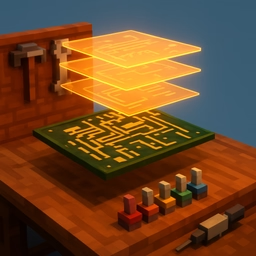
A Gerber package is not one file — it's a stack of separate files, each describing one layer of copper, mask, silk or drilling, that only becomes a recognisable PCB once they're overlaid in the right order with the right colours. This tool does exactly that in the browser: pick a fabrication ZIP or the loose .gbr/.drl files it contains, and it parses each one, identifies its role from its filename (top copper, bottom silkscreen, plated drill, and so on), and composites them into one image — dark soldermask green, gold copper, white silk, black drill holes — the same visual language a fab house's own viewer uses.
Every layer, on its own switch
Each recognised layer gets a row with its own colour swatch and a toggle, so you can check the board with just copper and outline showing, or add silkscreen back to see where the labels land, or isolate the drill layer to sanity-check hole placement against pads. A stat panel reports the board's real physical size in millimetres, read straight from the outline layer's own coordinates.
What gets flagged, not hidden
A file whose name doesn't match a recognised fabrication role is listed as unreferenced rather than silently ignored — an unreferenced file in a real production package is worth knowing about. The same goes for a layer that parses but produces no geometry, and for the (real, if uncommon) case of a drill file with no coordinate-format header: rather than let a bad guess distort the whole board's scale, that layer is excluded from the composite and called out by name.
Privacy
Parsing, layer identification and rendering all happen locally in your browser. Your fabrication files are never uploaded anywhere.