 Tiny Online Tools
Grayscale Image Converter
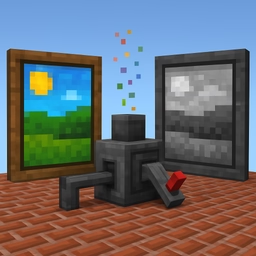
Transform colorful images into striking black and white photos with full control over the conversion algorithm. Perfect for editorial photography, vintage looks, design references, and accessibility previews.
Three conversion algorithms
- Luminance uses the perceptually-weighted formula
0.299R + 0.587G + 0.114B. It matches how the human eye perceives brightness and is the default choice for natural-looking grayscale photos. - Average computes a simple
(R+G+B)/3. Faster but flatter — great for stylized illustrations. - Lightness uses
(max+min)/2. It produces high-contrast results popular in retro photography and ink-style illustrations.
Intensity slider
The intensity slider blends between the original color and the chosen grayscale value, letting you produce a partially-desaturated look without leaving the tool. Set to 100% for full grayscale, drop to 50% for a faded vintage effect.
Use cases
- Editorial photography presets and timeless portraits
- Print-ready newspaper and magazine assets
- Design system previews and accessibility checks
- Logo studies and minimalist branding mockups
- Reference images for sketches and paintings
- Reducing visual noise in technical documentation
How it works
Your image is loaded directly into your browser as pixels. The selected algorithm is applied to every RGB triplet, alpha is preserved, and the result is exported as a high-quality PNG. Nothing is uploaded; nothing leaves your device.
Tips
For portraits, stick with luminance. For high-contrast graphic posters, try lightness. Use the intensity slider to retain a hint of color in skin tones or skies for a cinematic, partially-desaturated style.