 Tiny Online Tools


Convert Color PDFs to Professional Grayscale for Cost-Effective Printing and Archival
Color PDFs are beautiful but expensive to print. Black-and-white printing costs a fraction of color while often maintaining sufficient clarity for reading. This tool converts color PDFs to grayscale instantly, removing all color information while preserving text and image clarity. Perfect for reducing printing costs, preparing documents for monochrome archives, or converting marketing materials for traditional printing.
Why Convert to Grayscale
Printing Cost Reduction: Color inkjet printing costs 5-10x more than black-and-white. Converting PDFs to grayscale before printing can reduce costs dramatically across large document volumes. A company printing 1,000 pages saves significant money by converting to grayscale.
Professional Appearance in Monochrome: Some documents read better in grayscale. Legal documents, contracts, and formal reports often look more professional in black-and-white. Grayscale removes visual distraction and focuses attention on content.
Historical Archive Standards: Archives, libraries, and preservation organizations often maintain documents in grayscale or black-and-white for standardization, consistency, and long-term file format compatibility.
Print Readability: Some color PDFs (especially presentations) have light colored text on colored backgrounds. Converting to grayscale often improves print readability by increasing contrast between text and background.
Intelligent Grayscale Conversion
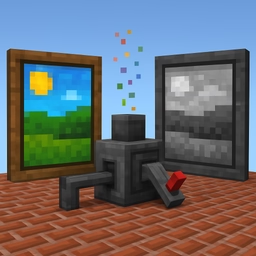
The tool doesn't simply remove color—it uses precise luminance-based grayscale transformation. This preserves the visual contrast of the original document. A red object and a blue object of similar brightness both map to similar gray values, maintaining visual hierarchy and readability. The conversion respects the original color choices and maintains document legibility.
Quality Control and File Optimization
Quality Slider: Adjust JPEG output quality from low (smaller file, less detail) to high (larger file, maximum detail). The recommended range is 85-95% for most documents—sharp enough for screen viewing and printing, while keeping file sizes reasonable. Lower quality is fine for quick document sharing; higher quality works better for printing or archival.
Page Count Display: See your PDF's page count before conversion. Larger documents might take a few seconds to process, but the tool handles any size.
Real-World Grayscale Conversion Applications
Corporate Printing and Document Management: Convert annual reports, policy documents, and company communications to grayscale before bulk printing. Savings compound across thousands of documents.
Educational and Training Materials: Convert course materials, textbooks, and training PDFs to grayscale for classroom or training facility printing. Maintains readability while reducing printing costs.
Legal and Compliance Documentation: Convert contracts, agreements, and regulatory documents to grayscale for filing, archival, and official records. Grayscale is often standard in legal document archiving.
Medical and Healthcare Records: Convert patient records, test results, and medical documentation to grayscale for consistent archival and printing. Many healthcare systems use grayscale documents as standard.
Real Estate and Property Documents: Convert property listings, floor plans, and disclosure documents to grayscale for printing and mailing. Reduces costs when mailing large document volumes.
Publishing and Print-on-Demand: Convert color PDFs to grayscale for black-and-white printing services. Many POD services offer reduced rates for grayscale, and this conversion ensures compatibility.
Technical Considerations
The conversion renders each PDF page and re-encodes it, which means text becomes rasterized (part of an image) rather than selectable text. For documents where text selectability isn't critical (printed documents, archival), this works perfectly. If you need searchable text after conversion, extract text first, then convert. File size typically reduces by 20-40% after grayscale conversion and JPEG re-encoding.
Complete Privacy Processing
All conversion happens 100% in your browser. Your PDF never uploads to servers or reaches third parties. Processing is instant and your file is not retained after conversion. Work with confidential, proprietary, or sensitive documents completely privately.