 Tiny Online Tools





Modern Grainy Gradients Without Photoshop
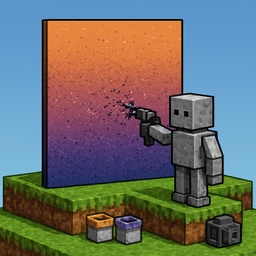
The "grainy gradient" look — a smooth gradient dusted with subtle film-grain noise — is everywhere in modern design, from Linear's marketing pages to dozens of high-end product sites. This generator produces that effect as a tiny, self-contained SVG that scales to any resolution and ships without a single image file.
How the Grain Is Applied
Under the hood, the tool composes two layers inside one SVG. The base layer is a <rect> filled with your gradient — linear or radial, with 2 to 5 color stops. On top of it sits a second <rect> whose fill is a monochrome noise texture generated by SVG's built-in <feTurbulence type="fractalNoise"> filter. The noise layer is drawn at a user-controlled opacity, which is what gives the final image its soft "dusty" feel.
Since everything runs through SVG filters, the grain pattern stays crisp and non-repetitive at any size — unlike a tileable PNG, you won't see obvious seams when the background is stretched across a huge hero area.
Controls
- Type — linear (with adjustable angle) or radial gradient.
- Color stops — 2 to 5 colors with position sliders for precise control over the transition.
- Grain intensity — the opacity of the noise layer. 0 disables the grain; higher values look progressively more textured.
- Grain scale —
baseFrequencyof the turbulence. Low scale gives chunky, tactile grain; high scale gives tight film-like noise. - Octaves — how many layers of noise are stacked. More octaves add detail.
- Seed — integer for reproducibility. Same seed = same grain pattern.
Where to Use It
- Hero backgrounds that feel tactile rather than sterile
- App splash screens and iOS-style widget cards
- Product Hunt-style launch banners
- Music and podcast cover artwork
- Dashboard cards with subtle depth
SVG output is always crisper than a JPG at similar file size, and its filters are GPU-accelerated in every modern browser. Copy the code, paste it into a <div>, and scale it anywhere — the grain stays faithful across devices and zoom levels.