Tiny Online Tools logoTiny Online ToolssearchSearch tools…grid_viewAll Tools
Homechevron_rightVideo & Audio Toolschevron_rightVoice RecorderVoice Recorder

Voice Recorder

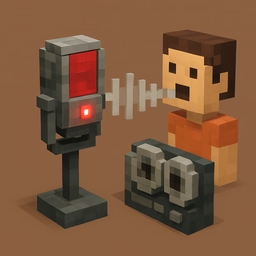
Record audio directly from your microphone in the browser. Download as WebM/Opus or M4A. Fully private, no upload required.

0:00

Click Start to begin recording.

Similar Tools

MP3 to WAV Converter

MP3 to WAV Converter

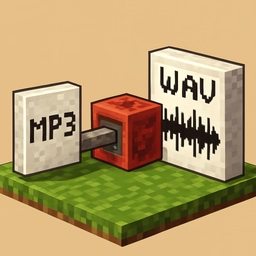
Convert MP3 audio files to uncompressed 16-bit WAV in your browser. Fully private, no upload required.

Audio Channel Converter

Audio Channel Converter

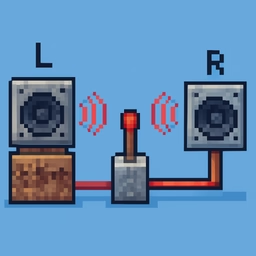
Audio Channel Converter helps you mix stereo to mono or isolate a left or right channel directly in your browser. Use it for fast, private media cleanup, publishing, lessons, demos, and everyday video or audio editing.

Audio Joiner

Audio Joiner

Audio Joiner helps you join multiple audio files into one track directly in your browser. Use it for fast, private media cleanup, publishing, lessons, demos, and everyday video or audio editing.

Audio Metadata Viewer

Audio Metadata Viewer

View duration, sample rate, channels, bitrate, and ID3 tags of any audio file in your browser. Fully private.

Text to Morse Code

Text to Morse Code

Convert text to Morse code with real-time audio playback.

HTML Table Generator

HTML Table Generator

Generate HTML table markup from simple comma-separated rows.

Text to URL Slug

Text to URL Slug

Convert text to SEO-friendly URL slugs with Unicode normalization, diacritic removal, and optional stop word filtering.

apps

More Tools

Browse our full collection of free online tools.

Voice Recorder

Perfect for voice memos, podcast capture, voiceovers, and quick recordings without installing software.

Features

  • Browser microphone access (requires permission)
  • Live elapsed-time counter
  • Outputs WebM/Opus (most browsers) or M4A (Safari)
  • 100% local — audio never uploads anywhere

How to use

  1. Click Start and grant microphone permission.
  2. Speak — the timer counts your recording.
  3. Click Stop to finalize and preview.
  4. Download the audio file.

Your recordings stay on your device — there is no server-side processing.