 Tiny Online Tools


Transform Images into Text-Based ASCII Art
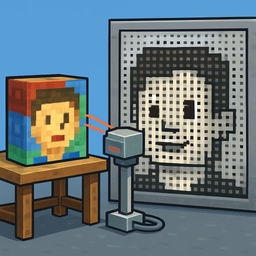
ASCII art has a retro charm and surprising utility. Create impressive visual effects using nothing but text characters, embed images as plain text in source code or documentation, or generate fun art for terminals and text-based interfaces. This tool automates the tedious manual process: upload any image, and it instantly converts it to an ASCII representation using brightness mapping.
The conversion analyzes each pixel's brightness and assigns it a character—darker areas use denser characters like @ and #, lighter areas use sparse characters like . and :. The result is a recognizable ASCII representation of your original image.
Multiple Character Sets for Different Effects
Simple: Use traditional ASCII characters ( .:-=+*#%@) for classic retro ASCII art. Great for artistic projects and traditional aesthetics.
Detailed: 70-character set for higher fidelity reproduction. When you need more detail and don't mind using extended Unicode, this set captures subtle shading variations.
Blocks: Unicode block characters (░▒▓█) for a cleaner, more modern look. Creates blocky but structured ASCII art with better visual clarity.
Switch between character sets to see which style you prefer or which works best for your specific image.
Customization Options
Output Width: Choose from 40 to 160 characters wide. Wider output shows more detail but produces larger text blocks. Narrower output is more compact and suitable for terminals or retro displays.
Invert Mode: Toggle inversion for dark backgrounds. If your terminal or document has a black background, invert the mapping so light characters appear on dark, improving readability and contrast.
Common Use Cases
Terminal Decorations: Generate ASCII art of your logo or profile picture to display in terminal startup scripts or .bashrc files.
Documentation Headers: Add ASCII art representations of tools, libraries, or brands to README files or technical documentation for visual interest.
Source Code Art: Embed ASCII art as comments in your code. Some developers create ASCII banners or logos to mark significant sections.
Chat & Forum Signatures: Use ASCII art in forum posts, chat signatures, or automated bot responses for retro aesthetic appeal.
Retro Game Assets: Create text-based graphics for terminal games or retro-styled applications.
Creative Art Projects: Generate ASCII art for artistic websites, blogs, or generative art projects.
Teaching & Learning: Demonstrate image processing concepts by showing how brightness mapping transforms visual data into text.
Download or Copy
Once converted, copy the ASCII art to your clipboard with one click, or download it as a .txt file to save and use elsewhere. Both options are instant.
Local Image Processing
Your image is processed entirely in your browser using canvas-based analysis. The image never leaves your device and isn't sent to any server. This means you can safely convert private photos, internal graphics, or any sensitive images without privacy concerns.
Supports Multiple Image Formats
Upload PNG, JPG, WebP, GIF, and other common formats. The tool automatically handles the format and processes the image immediately.