Tiny Online Tools logoTiny Online ToolssearchSearch tools…grid_viewAll Tools
Homechevron_rightImage Toolschevron_rightPosterize ImagePosterize Image

Posterize Image

Reduce the number of color levels in any image to create a bold posterized effect. Adjustable levels, runs entirely in your browser.

upload_file

Click to browse or drag & drop files here

Select an image

Accepted: image/*

Similar Tools

Pixelate Image

Pixelate Image

Pixelate any image to create a retro 8-bit style or to redact sensitive content. Adjustable block size, runs entirely in your browser.

Invert Image Colors

Invert Image Colors

Invert the colors of any image instantly in your browser. Adjustable intensity, optional alpha inversion, fully private.

Blur Image

Blur Image

Apply a smooth Gaussian blur to any image directly in your browser. Adjustable radius, live preview, fully private.

Grayscale Image Converter

Grayscale Image Converter

Convert any image to grayscale instantly in your browser. Choose between luminance, average, and lightness algorithms with adjustable intensity.

Video Frame Extractor

Video Frame Extractor

Extract individual frames from a video as PNG images at any interval, entirely in your browser.

PNG to SVG

PNG to SVG

Wrap a raster image inside an SVG container or trace pixel art into colored rectangles.

UUID v1 Generator

UUID v1 Generator

Generate time-based UUID version 1 identifiers with embedded timestamp.

apps

More Tools

Browse our full collection of free online tools.

Posterize Image

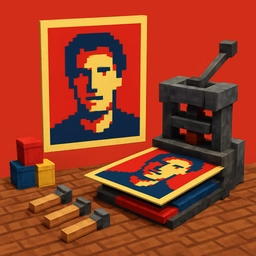
Reduce the number of unique color levels in each channel to produce a bold, screenprint-style posterized image. Useful for graphic posters, comic-style illustrations, screenprinting prep, and stylized social media art.

How it works

For each channel (R, G, B) the tool maps the original 0..255 value to one of N quantization buckets, where N is your levels setting. Lower levels produce dramatic flat color regions; higher levels preserve most of the original tonal range while still smoothing gradients.

Use cases

  • Posters and gig flyers
  • Comic and graphic-novel illustration
  • Pop-art photo stylization
  • Prepping artwork for screen-printing
  • T-shirt and merch designs
  • Social media art with bold flat colors

Tips

2–3 levels per channel gives a very flat poster look; 4–6 preserves more nuance and works for most images; 8+ provides a subtle smoothing that's almost imperceptible but reduces JPEG noise.

All processing happens locally — your originals never leave your device. Output is a high-quality PNG.