Tiny Online Tools logoTiny Online ToolssearchSearch tools…grid_viewAll Tools
Homechevron_rightImage Toolschevron_rightEdge Detection ToolEdge Detection Tool

Edge Detection Tool

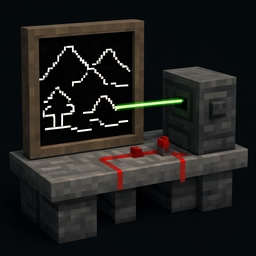
Highlight edges and outlines in any image using Sobel edge detection. Adjustable threshold and invert option, runs entirely in your browser.

upload_file

Click to browse or drag & drop files here

Select an image

Accepted: image/*

Similar Tools

Pixelate Image

Pixelate Image

Pixelate any image to create a retro 8-bit style or to redact sensitive content. Adjustable block size, runs entirely in your browser.

Posterize Image

Posterize Image

Reduce the number of color levels in any image to create a bold posterized effect. Adjustable levels, runs entirely in your browser.

Invert Image Colors

Invert Image Colors

Invert the colors of any image instantly in your browser. Adjustable intensity, optional alpha inversion, fully private.

Blur Image

Blur Image

Apply a smooth Gaussian blur to any image directly in your browser. Adjustable radius, live preview, fully private.

Glassmorphism Generator

Glassmorphism Generator

Create glassmorphism CSS with blur, tint, and border controls.

PNG Transparency Cleaner

PNG Transparency Cleaner

Clean noisy semi-transparent edges in PNG files. Threshold near-transparent pixels to fully transparent and near-opaque to fully opaque.

Video Poster Frame Picker

Video Poster Frame Picker

Seek a video and capture the perfect poster frame as PNG or JPG. Fully private, runs in your browser.

apps

More Tools

Browse our full collection of free online tools.

Edge Detection Tool

Extract crisp outlines and contours from any photograph using the classic Sobel edge detection operator. Useful for design, machine vision previews, coloring book art, and stylized illustration.

How it works

The Sobel operator applies two 3×3 convolution kernels — one for horizontal gradient, one for vertical — to the grayscale version of your image. For each pixel, the magnitude of the gradient vector indicates the strength of an edge. Pixels with magnitude below the chosen threshold are zeroed out.

Controls

  • Threshold suppresses weak edges. Low values reveal every subtle line; high values leave only the strongest contours.
  • Invert swaps black-on-white for white-on-black output, useful for coloring book pages and printable line art.

Use cases

  • Quick line-art conversion for illustrations
  • Coloring book and tracing template generation
  • Pre-processing for computer-vision projects
  • Architectural and design references
  • Stylized photo effects for social posts
  • Texture and pattern extraction

All processing happens locally in your browser. Output is a high-quality PNG.