 Tiny Online Tools




Neon-Glow Effects Baked Into SVG
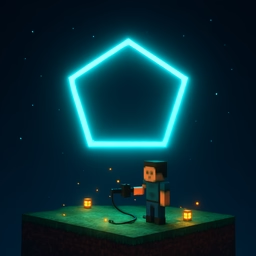
A neon glow is a classic design trope — it brings warmth, retro-futurism, and mood with almost nothing else. This generator outputs a single SVG with a nested <filter> that blurs and merges copies of the shape's outline, producing a realistic bloom around a crisp stroke.
Supported Shapes
- Circle, square, rounded rectangle
- Triangle, pentagon, hexagon, octagon
- 5-pointed and 6-pointed stars
Controls
- Stroke color — the core neon hue. Saturated colors glow best.
- Stroke width — how thick the bright line is.
- Glow size —
stdDeviationof the Gaussian blur. Bigger glow = softer bloom around the shape. - Background — dark backgrounds make the glow pop; pick something close to
#000for best results.
How the Glow Works
Inside the SVG, a <filter> uses two <feGaussianBlur> passes at different radii. Those blurred copies are merged with the original shape using <feMerge>, so you see a bright core inside a soft halo — exactly how real neon looks when photographed.
Because the glow is implemented with SVG filters (not an image), you can recolor it instantly, scale it to any size without loss, and animate the stroke with CSS. The entire file is usually under a kilobyte.
Uses
- Cyberpunk hero sections and landing pages
- Arcade-style UI elements
- Retro posters and album covers
- Night-mode dashboards with accent icons
- Gaming overlays and streamer assets
Pair with the Grainy Gradient or Mesh Gradient generators to build a moody night-sky backdrop, then drop a neon star in the center as a centerpiece.