 Tiny Online Tools





BMP to PNG Converter
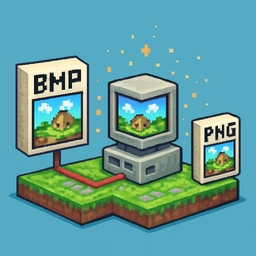
The BMP (Windows Bitmap) format has been around since the early days of Windows and is still produced by screen capture utilities, old drawing software, and some scientific instruments. But it is massive, lossless-but-uncompressed, and doesn't render inline in modern chat or email clients. PNG is the natural upgrade: also lossless, but with proper compression and universal browser support.
What this tool does
Drop any BMP file and it returns a PNG. Internally it uses the browser's native BMP decoder to read the bitmap, paints it onto an HTML canvas, and re-encodes the pixels with PNG's compression. The result is pixel-for-pixel identical to the original, just much smaller.
Typical savings
- Screenshots — 80–95% smaller than the source BMP.
- Photographic bitmaps — 50–70% smaller, depending on complexity.
- Flat graphics / icons — 85–98% smaller, because PNG's predictor handles flat colour extremely well.
When to use PNG over BMP
- Web assets — every browser renders PNG; many don't render BMP inline.
- Email attachments — PNG is smaller and universally supported.
- Version control / cloud sync — tiny PNGs sync in seconds where BMPs take minutes.
- Slack / Teams / iMessage — BMPs often fail to preview; PNGs always preview.
Batch conversion
Select multiple BMPs at once and each file becomes its own PNG download. The tool reports original versus converted size so you can see the savings for each.
What is preserved
- Full pixel data — lossless.
- Transparency — if the BMP has an alpha channel (rare but valid for 32-bit BMPs), PNG keeps it.
- Colour depth — downconverted to 8-bit per channel RGBA, which matches virtually every BMP in the wild.
What is not preserved
- Embedded ICC profiles (rare in BMPs).
- Multi-plane or exotic BMP variants (CMYK, OS/2-specific flavours). If a file fails to decode, try opening it in an image viewer first and re-saving as standard Windows BMP.
Privacy
All processing happens in your browser. Your BMP files are never uploaded.